 Mathew K Analytics
Lesson 4 · Full-Length Courses
Python Full Course for Beginners
This lesson walks through the fundamentals of Python: installing it, setting up a Jupyter Notebook in VS Code, variables and types, strings, numbers,…
- CourseFull-Length Courses
- Lesson4 of 7
- Video53 min
- FormatJupyter notebook · 39 code cells
What you'll learn
Data
No separate download needed — the notebook creates or downloads everything it uses.
📓 Full notebook
Download .ipynbPython Full Course for Beginners#
- This lesson walks through the fundamentals of Python: installing it, setting up a Jupyter Notebook in VS Code, variables and types, strings, numbers, conditionals, loops, and functions.
- Every example runs inside notebook cells, so you can experiment, tweak, and re-run each idea as you go.
- No prior programming experience is required.
Installing Python#
- Go to python.org, open Downloads, and get the latest version of Python for your operating system.
- On Windows, before clicking Install, check the box that says 'Add python.exe to PATH'. This step saves you a lot of headaches later.
- On macOS, simply run the installer package and follow the prompts.
- To verify the install, open a terminal and type 'python --version' on Windows, or 'python3 --version' on macOS or Linux.
Setting Up VS Code and Your First Notebook#
- Install Visual Studio Code from code.visualstudio.com.
- Open the Extensions view and install the Python extension and the Jupyter extension, both published by Microsoft.
- Open the Command Palette with Control plus Shift plus P (Command plus Shift plus P on Mac), type 'Create: New Jupyter Notebook', and press Enter.
- In the top right corner of the notebook, click Select Kernel and choose your installed Python interpreter.
2 + 2
2 > 1
2 >
print('Hello World')
print('*' * 10)
Linting and Formatting#
- The Python extension in VS Code includes linting, which analyzes your code for potential errors as you type, before you even run a cell.
- It also supports automatic code formatting according to PEP 8, Python's official style guide, so your code stays clean and consistent.
- You can enable 'Format on Save' in VS Code's settings so your formatting is applied automatically.
Python the Language vs. Python the Implementation#
- Python as a language is a specification: a set of rules and grammar for writing code.
- CPython, the program we just installed from python.org, is the default implementation, written in C, that actually executes Python code.
- Other implementations exist too, such as Jython (written in Java) and IronPython (written in C#), used to interoperate with Java or .NET code respectively.
- When CPython runs a program, it first compiles the code into Python bytecode, then a virtual machine converts that bytecode into machine code and executes it.
students_count = 1000
print(students_count)
rating = 4.99
is_published = True
print(rating, is_published)
is_published = false
Naming Variables Well#
- Use descriptive, meaningful names, such as students_count instead of a mystical abbreviation like sc.
- Use lowercase letters for variable names, and separate multiple words with an underscore (this style is called snake_case), since Python does not allow spaces in variable names.
- Put a space around the assignment operator, the equals sign, as in x = 1, not x=1.
- If you forget these conventions, saving the file with Format on Save enabled will often clean it up automatically, but it is still good practice to write clean code by hand.
course = 'Python Programming'
print(course)
message = """
Hi John,
This is Alex from the support team.
"""
print(message)
course = 'Python Programming'
print(len(course))
print(course[0])
print(course[-1])
course = 'Python Programming'
print(course[0:3])
print(course[3:])
print(course[:3])
print(course[:])
course = 'Python Programming'
print('Python \"Programming\"')
print('Python\'s Programming')
print('Python \\ Programming')
print('Python \n Programming')
first = 'Alex'
last = 'Taylor'
full = first + ' ' + last
print(full)
full = f'{first} {last}'
print(full)
course = 'Python Programming'
print(course.upper())
print(course.lower())
print(course.title())
print('   Python   '.strip())
print(course.find('Pro'))
print(course.replace('P', 'J'))
print('Pro' in course)
print('Swift' not in course)
print(10 / 3)
print(10 // 3)
print(10 % 3)
print(10 ** 3)
x = 10
x = x + 3
print(x)
x += 3
print(x)
import math
print(round(2.9))
print(abs(-2.9))
print(math.ceil(2.2))
x = input('Enter a number: ')
print(type(x))
y = x + 1
x = input('Enter a number: ')
x = int(x)
y = x + 1
print(f'x is {x} and y is {y}')
print(bool(0))
print(bool(1))
print(bool(-1))
print(bool(''))
print(bool('False'))
print(10 > 3)
print(10 >= 3)
print(10 < 3)
print(10 <= 3)
print(10 == 10)
print(10 == '10')
print(10 != 3)
temperature = 35
if temperature > 30:
    print('It is warm')
    print('Drink plenty of water')
elif temperature > 20:
    print('It is nice')
else:
    print('It is cold')
print('Done')
age = 22
message = 'Eligible' if age >= 18 else 'Not eligible'
print(message)
high_income = True
good_credit = True
is_student = False
if high_income and good_credit:
    print('Eligible')
else:
    print('Not eligible')
if (high_income or good_credit) and not is_student:
    print('Eligible')
age = 22
if age >= 18 and age < 65:
    print('Eligible')
if 18 <= age < 65:
    print('Eligible')
for number in range(3):
    print(f'Attempt {number + 1}')
for number in range(1, 4):
    print(number)
for number in range(1, 10, 2):
    print(number)
successful = True
for attempt in range(3):
    print('Sending...')
    if successful:
        print('Successfully sent!')
        break
else:
    print('Attempted 3 times and failed')
for x in range(3):
    for y in range(2):
        print(f'({x}, {y})')
print(type(range(5)))
for letter in 'abc':
    print(letter)
for item in [10, 20, 30]:
    print(item)
number = 100
while number > 0:
    print(number)
    number //= 2
while True:
    command = input('> ')
    if command.lower() == 'quit':
        break
    print(f'Echo: {command}')
Exercise: Even Numbers#
- Write a program that prints the even numbers between 1 and 10, then prints a final message stating how many even numbers were found.
- Hint: call range with 1 and 10, and check whether each number's remainder when divided by 2 equals 0.
count = 0
for number in range(1, 10):
    if number % 2 == 0:
        print(number)
        count += 1
print(f'We have {count} even numbers')
def greet():
    print('Hi there')
    print('Welcome aboard')

greet()
def greet(first_name, last_name):
    print(f'Hi {first_name} {last_name}')


greet('Alex', 'Taylor')
greet('John', 'Smith')
def greet(first_name, last_name):
    print(f'Hi {first_name} {last_name}')


greet('Alex')
def get_greeting(name):
    return f'Hi {name}'


message = get_greeting('Alex')
print(message)
def greet(name):
    print(f'Hi {name}')


result = greet('Alex')
print(result)
def increment(number, by=1):
    return number + by


print(increment(2))
print(increment(2, by=5))
def multiply(*numbers):
    total = 1
    for number in numbers:
        total *= number
    return total


print(multiply(2, 3))
print(multiply(2, 3, 4))
Recap#
- We installed Python and set up a Jupyter Notebook in VS Code as our environment for writing and running code.
- We covered variables, primitive types, strings and their methods, numbers and arithmetic, and type conversion with the input function.
- We covered comparison and logical operators, if/elif/else, the ternary operator, and chained comparisons.
- We covered for loops with range, break, nested loops, iterables, and while loops, including how to safely use an infinite loop.
- We covered defining functions with required and optional parameters, returning values, keyword arguments, and variable-length arguments with an asterisk.
- Practicing each example yourself in a Jupyter Notebook in VS Code is the best way to make these concepts stick.
Found this useful?
All lessons, notebooks and datasets here are free. If they helped you, a coffee keeps new lessons coming.
Related lessons
 11 min
Lesson 24
13 - Importing Modules in Python: Fundamentals for Beginners
 12 min
Lesson 4
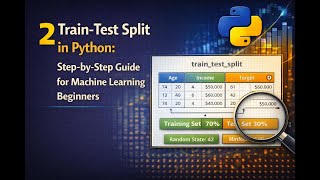
2 Train-Test Split in Python: Step-by-Step Guide for Machine Learning Beginners
 18 min
Lesson 1
Analyse E-Commerce Orders with Python Pandas | Full Project Tutorial
 20 min
Lesson 41