 Mathew K Analytics
Lesson 57 · Python for Data Science
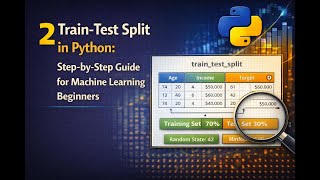
2 - Train-Test Split in Python
In this lesson, you will learn how to split your data into training and testing sets. This is a key step when you want to build and test real-world models,…
- CoursePython for Data Science
- Lesson57 of 38
- Video15 min
- FormatJupyter notebook · 18 code cells
What you'll learn
Data
No separate download needed — the notebook creates or downloads everything it uses.
📓 Full notebook
Download .ipynb
Welcome to Python's Train-Test Split!#
In this lesson, you will learn how to split your data into training and testing sets.
This is a key step when you want to build and test real-world models, like predicting house prices or student grades.
Splitting helps you see how well your model might do on new, unseen data.
No special math neededjust Python and a few friendly libraries.
# First, let's import numpy and pandas, two key data tools.
import numpy as np
import pandas as pd

# Numpy helps us with numbers and arrays. Pandas helps us handle tables of data.
# Let us make a small pretend dataset.
data = {
    "name": ["Alex", "Bill", "Cara", "Dana", "Eva", "Fred", "Gwen", "Hana", "Ian", "Jude"],
    "score": [82, 77, 93, 75, 88, 90, 85, 70, 60, 87]
}
df = pd.DataFrame(data)

print("Our sample data:")
print(df)
What is a Train-Test Split?#
When you build a model, you should not test it on the same data you used for training.
Why? Because that would not show you how the model would do with new data.
So, we split our data into two groups:
- Training set: Used to teach the model.
- Test set: Used to check how well the model learned.
Think of it like studying for a quiz. You learn from the book (train), but take the quiz (test) with new questions.
# Now, let's do a manual split (without any tools).
train = df.iloc[:7]
test = df.iloc[7:]

print("Training set:")
print(train)
print("\nTest set:")
print(test)
Why Use Libraries?#
Manual splits work, but for larger data or for random splits, Python packages help.
The most common tool for this is scikit-learn.
It has a function called train_test_split that makes this process easier and more flexible.
Now, we will see how to use it.
# Import train_test_split from scikit-learn.
from sklearn.model_selection import train_test_split
# Let us split our data using train_test_split. We choose 70% for training, 30% for testing.
train_set, test_set = train_test_split(df, test_size=0.3, random_state=42)
print("Train set:")
print(train_set)
print("\nTest set:")
print(test_set)
What is random_state?#
Setting random_state ensures our split stays the same every time we run it.
This is useful when we want to compare results and share our code.
If you leave it out, your split will change every time you run your code.
# Let us see what happens when we do not set random_state.
train2, test2 = train_test_split(df, test_size=0.3)
print("Train set (no random_state):")
print(train2)
# Sometimes we just want the scores (not names) to train a model.
X = df["score"]
y = df["name"]

print("X (features):", X.values)
print("y (labels):", y.values)
# Split features and labels into train/test sets.
X_train, X_test, y_train, y_test = train_test_split(X, y, test_size=0.3, random_state=0)
print("X_train:", X_train.values)
print("X_test:", X_test.values)
print("y_train:", y_train.values)
print("y_test:", y_test.values)
Practice: Make Your Own Split#
Pick your own test_size number between 0.1 and 0.5.
Try using train_test_split with your value.
See how the size of the test set and train set change.
# What happens if you pick a test_size that is too small or too large?
X_train, X_test, y_train, y_test = train_test_split(X, y, test_size=0.9, random_state=0)
print("Test size 0.9 - X_train:", X_train.values)
print("Test size 0.9 - X_test:", X_test.values)
# Let us see what happens with a small test_size.
X_train, X_test, y_train, y_test = train_test_split(X, y, test_size=0.1, random_state=0)
print("Test size 0.1 - X_train:", X_train.values)
print("Test size 0.1 - X_test:", X_test.values)
# Let us ask the user for the split amount.
answer = input("Enter the percent to use for testing (like 0.2): ")
try:
    perc = float(answer)
    X_train, X_test, y_train, y_test = train_test_split(X, y, test_size=perc, random_state=42)
    print("Train: ", X_train.values)
    print("Test: ", X_test.values)
except:
    print("Please enter a number between 0 and 1 next time!")
# Sometimes, our data is not mixed well. Let us see what happens if it is sorted.
df_sorted = df.sort_values(by="score", ascending=False)
X_sort = df_sorted["score"]
y_sort = df_sorted["name"]
X_train, X_test, y_train, y_test = train_test_split(X_sort, y_sort, test_size=0.3, random_state=1)
print("X_train:", X_train.values)
print("X_test:", X_test.values)
# For some problems, we want to balance the classes in both splits.
# For that, we use stratify.
labels = ["pass" if score >= 80 else "fail" for score in df["score"]]
df["result"] = labels
X = df[["score"]]
y = df["result"]

# Now split with stratify.
X_train, X_test, y_train, y_test = train_test_split(X, y, test_size=0.3, stratify=y, random_state=7)
print("y_train:", y_train.values)
print("y_test:", y_test.values)
# Mini-Project: Predict if students pass, using our tiny sample.
from sklearn.linear_model import LogisticRegression

# Use 'score' as our feature and 'result' (pass/fail) as label.
X = df[["score"]]
y = df["result"]
X_train, X_test, y_train, y_test = train_test_split(X, y, test_size=0.3, stratify=y, random_state=5)

# Train a simple model.
model = LogisticRegression()
model.fit(X_train, y_train)

# Predict on the test set.
y_pred = model.predict(X_test)

print("Predicted results:", y_pred)
print("True results:", y_test.values)
# Mini-project continued: See how accurate our model is.
from sklearn.metrics import accuracy_score

accuracy = accuracy_score(y_test, y_pred)
print("Accuracy:", accuracy)
Common Mistakes: Watch Out!#
- Splitting after training (bad! Split first, always).
- Not shuffling data first.
- Not using stratify with imbalanced categories.
- Forgetting random_state for repeatable results.
- Using the same data for both training and testing.
Stay aware of these, and your splits will be spot on.
# Quick tip: Wrap your splits in a function for reuse.
def split_data(dataframe, test_size=0.3, stratify_col=None):
    X = dataframe[["score"]]
    y = dataframe["result"]
    if stratify_col:
        y_strat = dataframe[stratify_col]
        return train_test_split(X, y, test_size=test_size, stratify=y_strat, random_state=0)
    return train_test_split(X, y, test_size=test_size, random_state=0)

# Usage:
X_train, X_test, y_train, y_test = split_data(df, test_size=0.4, stratify_col="result")
Challenge Time!#
Create your own DataFrame with 8-12 rows.
Pick a split and try to build a simple train-test split, with and without stratify.
Print both sets. Bonus: try predicting a simple result ('big' or 'small' number).
Lesson Recap#
We saw what train-test split means in Python, and why it is important for honest learning.
You learned both manual and automatic ways to split data.
You used code to explore test_size, stratify, and even made a small model!
Keep the habit of splitting early, use random_state for repeat tests, and enjoy building safe, testable projects!
Thank you for watching!#
If you liked this walkthrough, please like this video, leave a comment to say what you learned, and subscribe to the channel for more lessons.
Share this video with your friends so they can learn Python too!
Happy coding! See you in the next video.
Found this useful?
All lessons, notebooks and datasets here are free. If they helped you, a coffee keeps new lessons coming.
Related lessons
 12 min
2 Train-Test Split in Python: Step-by-Step Guide for Machine Learning Beginners
 29 min
Python Data Analytics #24: Marketing Campaign A/B Test Analysis in Python
 14 min
1 Capstone ML Project in Python: Build and Evaluate a Machine Learning Model
 10 min