 Mathew K Analytics
Lesson 17 · Python Fundamentals
Master Python Tuples: Fundamentals and Practical Applications Explained
Tuples help you store multiple items in a single variable. They are a core concept for every Python developer. By the end, you will know: What tuples are…
- CoursePython Fundamentals
- Lesson17 of 22
- Video28 min
- FormatJupyter notebook · 26 code cells
What you'll learn
Data
No separate download needed — the notebook creates or downloads everything it uses.
📓 Full notebook
Download .ipynb
Welcome to Python Tuples!#
Tuples help you store multiple items in a single variable.
They are a core concept for every Python developer.
By the end, you will know:
- What tuples are
- How to use them
- Where they are useful
Let us dive in!
# What is a tuple?
example_tuple = (1, 2, 3, 4)
print('This is a tuple:', example_tuple)
Why use a tuple?#
Tuples group data together. For example, use a tuple to store a date (year, month, day) or a location (latitude, longitude).
Tuples are useful when your values should not change.
# Creating tuples with different types
person = ('Alice', 24, 'Paris')
print('Person:', person)
# Empty and single-element tuples
empty = ()
single = ('banana',)
print('Empty tuple:', empty)
print('Single item tuple:', single)
# Accessing tuple items
phone = ('Samsung', 'Galaxy S24', 2024)
print('The brand is:', phone[0])
print('The model is:', phone[1])
# Negative indexing (counts from the end)
numbers = (10, 20, 30, 40)
print('Last item:', numbers[-1])
print('Second to last:', numbers[-2])
# Slicing tuples
days = ('Mon', 'Tue', 'Wed', 'Thu', 'Fri')
print('First three days:', days[:3])
print('Days except Monday:', days[1:])
# Tuples are immutable (they cannot be changed)
fruits = ('apple', 'banana', 'cherry')
# The next line would give an error if uncommented:
# fruits[1] = 'orange'
print('Original tuple:', fruits)
# You can add tuples together (concatenation)
a = (1, 2)
b = (3, 4)
c = a + b
print('Combined tuple:', c)
# Deleting a tuple
animals = ('cat', 'dog', 'tiger')
del animals
# Tuple length
colors = ('red', 'blue', 'green', 'yellow')
print('There are', len(colors), 'colors.')
# Check if an item is in a tuple
my_tuple = ('pen', 'pencil', 'eraser')
if 'pen' in my_tuple:
    print('Yes, pen is in the tuple!')
else:
    print('No, pen is not in the tuple!')
# Tuple unpacking
rgb = (255, 200, 100)
red, green, blue = rgb
print('Red value:', red)
print('Green value:', green)
print('Blue value:', blue)
# Looping through a tuple
seasons = ('spring', 'summer', 'autumn', 'winter')
for season in seasons:
    print('Season:', season)
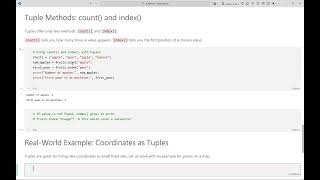
# Counting occurrences
letters = ('a', 'b', 'a', 'c', 'a')
print('Number of times a appears:', letters.count('a'))
# Finding the index of an item
nums = (5, 10, 15, 10)
print('First place 10 occurs:', nums.index(10))
# Tuples vs lists
my_list = [1, 2, 3]
my_tuple = (1, 2, 3)
print('This is a list:', my_list)
print('This is a tuple:', my_tuple)
# Tuple comprehension (using generator expressions)
nums = (1, 2, 3, 4)
squared = tuple(n * n for n in nums)
print('Original:', nums)
print('Squared:', squared)
# Sorting tuples (sort returns a list)
scores = (30, 90, 70, 50)
sorted_scores = sorted(scores)
print('Original:', scores)
print('Sorted:', sorted_scores)
# Getting user input and making a tuple
color1 = input('Enter your first color: ')
color2 = input('Enter your second color: ')
fav_colors = (color1, color2)
print('Your favorite colors are:', fav_colors)
# Mini-project: Storing birthdays
people = (('Anna', '1990-05-15'), ('Ben', '1988-09-30'))
for name, birthday in people:
    print(name, 'has a birthday on', birthday)
# Mini-project, part two: Searching birthdays
people = (('Anna', '1990-05-15'), ('Ben', '1988-09-30'))
name = input('Enter a name to look for: ')
found = False
for person, birthday in people:
    if person == name:
        print(person, 'was born on', birthday)
        found = True
if not found:
    print('That name was not found.')
# Common tuple error: forgetting a comma
one = ('solo')
good = ('solo',)
print('Without comma:', type(one))
print('With comma:', type(good))
# Tuple trick: swapping two values
a = 5
b = 10
a, b = b, a
print('After swapping: a =', a, 'b =', b)
Challenge time!#
Make a tuple with three favorite foods.
Print only the last one. Try to change an item and see the error.
Can you use a loop to print each food?
Recap#
- Tuples store many values together
- You cannot change their contents
- Use parentheses, not square brackets
- Works well for data that should not change
Great work reaching this far!
Thanks for learning about tuples!#
Like this lesson? Please hit Like, leave a Comment, and Subscribe for more learning!
Share the video with your friends and join us for the next topic!
Found this useful?
All lessons, notebooks and datasets here are free. If they helped you, a coffee keeps new lessons coming.
Related lessons
 28 min
Master Python Data Structures: Lists, Tuples, Sets & Dictionaries Explained Clearly
 15 min
Bayesian Estimation Explained: Using SciPy and PyMC for Practical Inference in Python
 23 min
Master the OpenAI Assistants API: Build Interactive & Intelligent Python Applications
 11 min