 Mathew K Analytics
Python standard library deep dive
A free 24-lesson course. Every lesson has a video walkthrough and a Jupyter notebook you can download or open in Google Colab; 3 lessons include real datasets. Tools covered: datetime, JSON, pathlib, collections, CSV, logging.
- Lessons24
- Videoabout 7 hours
- LevelIntermediate
- PriceFree
- Datasets3
About this course
Python's standard library ships with every installation, and knowing it saves you from reinventing tools or installing packages you don't need. This deep dive covers 24 modules, one per lesson: files and paths (os, sys, pathlib, shutil, glob, tempfile), dates, collections, itertools and functools, regular expressions, JSON and CSV, math and random, subprocess, asyncio, logging, argparse, pickle, hashing and secrets, context managers, dataclasses, typing and enum, unittest, text tools and encodings. The final lesson builds a complete command-line tool from these pieces.
Python standard library deep dive is a free intermediate course with 24 video lessons (about 7 hours of video in total). It starts with “Python os & sys Explained: Files, Env Vars & Args | Standard Library #1” and finishes with “Build a Python CLI Tool from Scratch | Standard Library Capstone #25”. Every lesson comes with the exact Jupyter notebook used in the video, and 3 of them include the dataset, so you can follow along with the same data.
Along the way you'll use datetime, JSON, pathlib, collections, CSV and logging.
It suits learners who know basic Python and want to write cleaner, more professional scripts.
What you'll be able to do
- Work with files, folders and paths safely across operating systems
- Use collections, itertools and functools to write shorter, faster code
- Parse text with regular expressions and read and write JSON and CSV
- Run external commands, write async code and add proper logging
- Build command-line tools with argparse
- Use dataclasses, type hints and enums to make code easier to maintain
- Write unit tests with unittest
All 24 lessons
 20 min
Python os & sys Explained: Files, Env Vars & Args | Standard Library #1
 20 min
Python pathlib Explained: Modern File Paths Made Easy | Standard Library #2
 20 min
Python datetime Explained: Dates, Times & Time Zones | Standard Library #3
 17 min
Python collections Explained: Counter, deque & defaultdict | Standard Library #4
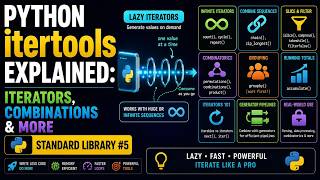 14 min
Python itertools Explained: Iterators, Combinations & More | Standard Library #5
 18 min
Python functools Explained: lru_cache, partial & wraps | Standard Library #6
 18 min
Python re Explained: Regular Expressions Made Simple | Standard Library #7
 18 min
Python json & csv Explained: Read and Write Data Files | Standard Library #8
 20 min
Python math, random & statistics Explained | Standard Library #9
 16 min
Python subprocess Explained: Run External Commands Safely | Standard Library #10
 17 min
Python asyncio Explained: async/await & Event Loops | Standard Library #12
 15 min
Python logging Explained: Loggers, Handlers & Formatters | Standard Library #13
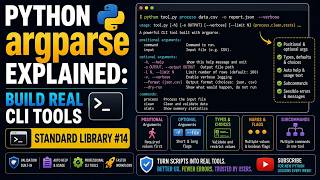 16 min
Python argparse Explained: Build Real CLI Tools | Standard Library #14
 16 min
Python pickle & shelve Explained: Save Objects to Disk | Standard Library #15
 17 min
Python hashlib, hmac & secrets Explained: Secure Your Code | Standard Library #16
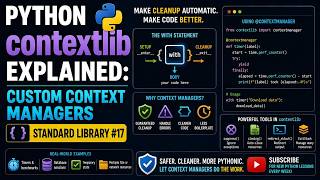 17 min
Python contextlib Explained: Custom Context Managers | Standard Library #17
 18 min
Python dataclasses Explained: Cleaner Classes, Less Code | Standard Library #18
 18 min
Python typing & enum Explained: Type Hints Done Right | Standard Library #19
 18 min
Python unittest Explained: Write Tests That Catch Bugs | Standard Library #20
 17 min
Python shutil, tempfile & glob Explained: File Operations | Standard Library #21
 16 min
Python io, string & textwrap Explained: Text & Streams | Standard Library #22
 17 min
Python uuid, base64 & binascii Explained: Encode Anything | Standard Library #23
 18 min
Python abc & inspect Explained: Abstract Classes & Introspection | Standard Library #24
 18 min
Build a Python CLI Tool from Scratch | Standard Library Capstone #25
Frequently asked questions
Is the Python standard library deep dive course free?
Yes. All 24 videos, notebooks and datasets are free, with no sign-up.
Do I need to install anything?
No. You can open each notebook in Google Colab in your browser, or download it and run it in Jupyter or VS Code with Anaconda installed.
How long does the Python standard library deep dive course take?
The videos add up to about 7 hours. Most learners take one to two lessons a day, so plan on 3 to 6 weeks if you code along.
What level is it?
Intermediate. It suits learners who know basic Python and want to write cleaner, more professional scripts.