 Mathew K Analytics
Scikit-learn deep dive
A free 18-lesson course. Every lesson has a video walkthrough and a Jupyter notebook you can download or open in Google Colab. Tools covered: scikit-learn, NumPy, pandas, SciPy.
- Lessons18
- Videoabout 5 hours
- LevelIntermediate
- PriceFree
About this course
Scikit-learn deep dive is a free intermediate course with 18 video lessons (about 5 hours of video in total). It starts with “Scikit-learn Tutorial #1: The Estimator API Explained” and finishes with “Scikit-learn Tutorial #18: Capstone — End-to-End ML Pipeline”. Every lesson comes with the exact Jupyter notebook used in the video, so you can run every step yourself.
Along the way you'll use scikit-learn, NumPy, pandas and SciPy.
It suits learners who already know basic Python (variables, lists, loops and functions) and want to apply it to real problems.
Course outline
- Scikit-learn Tutorial #1: The Estimator API Explained – On scikit-learn's own toolkit, not the algorithms, the actual machinery that makes it a real production library. fit, predict, transform,…
- Scikit-learn Tutorial #3: Preprocessing — Encoders – Turning categorical data into genuine numbers a model can use. OneHotEncoder, OrdinalEncoder, LabelEncoder, and LabelBinarizer. Let's get…
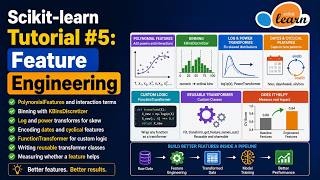
- Scikit-learn Tutorial #5: Feature Engineering – Building genuinely new, more useful features out of the ones you already have. PolynomialFeatures, FunctionTransformer, KBinsDiscretizer,…
- Scikit-learn Tutorial #7: ColumnTransformer – Applying different preprocessing to different columns. ColumnTransformer, makecolumntransformer, and mixed numeric/categorical data. Let's…
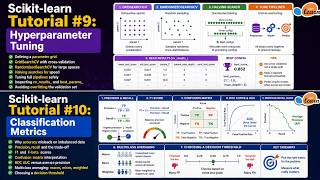
- Scikit-learn Tutorial #9: Hyperparameter Tuning – Systematically searching for the best model settings. GridSearchCV, RandomizedSearchCV, bestparams, and bestestimator. Let's get into it.…
- Scikit-learn Tutorial #11: Regression Metrics – Judging how far off a regressor's predictions really are. MSE, RMSE, MAE, R-squared, and explained variance. Let's get into it.…
- Scikit-learn Tutorial #13: Feature Selection – Keeping only the features genuinely worth having. VarianceThreshold, SelectKBest, RFE, and featureimportances. Let's get into it. Too many…
- Scikit-learn Tutorial #15: Ensembling & Meta-Estimators – Combining multiple models into one stronger predictor. VotingClassifier, BaggingClassifier, and StackingClassifier. Let's get into it.…
All 18 lessons
 17 min
Scikit-learn Tutorial #1: The Estimator API Explained
 17 min
Scikit-learn Tutorial #2: Preprocessing — Scalers
 16 min
Scikit-learn Tutorial #3: Preprocessing — Encoders
 15 min
Scikit-learn Tutorial #4: Handling Missing Data
 16 min
Scikit-learn Tutorial #5: Feature Engineering
 15 min
Scikit-learn Tutorial #6: Pipelines
 15 min
Scikit-learn Tutorial #7: ColumnTransformer
 15 min
Scikit-learn Tutorial #8: Splitting & Cross-Validation
 15 min
Scikit-learn Tutorial #9: Hyperparameter Tuning
 15 min
scikit-learn Classification Metrics: Precision, Recall, F1, ROC AUC
 14 min
Scikit-learn Tutorial #11: Regression Metrics
 14 min
Scikit-learn Tutorial #12: Clustering Metrics
 14 min
Scikit-learn Tutorial #13: Feature Selection
 14 min
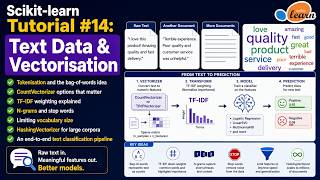
Scikit-learn Tutorial #14: Text Data & Vectorisation
 14 min
Scikit-learn Tutorial #15: Ensembling & Meta-Estimators
 15 min
Scikit-learn Tutorial #16: Custom Estimators
 15 min
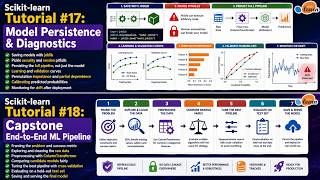
Scikit-learn Tutorial #17: Model Persistence & Diagnostics
 16 min
Scikit-learn Tutorial #18: Capstone — End-to-End ML Pipeline
Frequently asked questions
Is the Scikit-learn deep dive course free?
Yes. All 18 videos, notebooks are free, with no sign-up.
Do I need to install anything?
No. You can open each notebook in Google Colab in your browser, or download it and run it in Jupyter or VS Code with Anaconda installed.
How long does the Scikit-learn deep dive course take?
The videos add up to about 5 hours. Most learners take one to two lessons a day, so plan on 3 to 4 weeks if you code along.
What level is it?
Intermediate. It suits learners who already know basic Python (variables, lists, loops and functions) and want to apply it to real problems.