 Mathew K Analytics
Python Beginner Course
A free 10-lesson course. Every lesson has a video walkthrough and a Jupyter notebook you can download or open in Google Colab. Tools covered: pathlib, datetime, JSON, CSV, dataclasses, openpyxl.
- Lessons10
- Videoabout 10 hours
- LevelBeginner
- PriceFree
About this course
Python Beginner Course is a free beginner course with 10 video lessons (about 10 hours of video in total). It starts with “Python in 60 Minutes: Write Your First Real Programs (Complete Beginner Course)” and finishes with “Web Scraping & APIs for Beginners: requests + BeautifulSoup (Beginner Python Course, Part 10)”. Every lesson comes with the exact Jupyter notebook used in the video, so you can run every step yourself.
Along the way you'll use pathlib, datetime, JSON, CSV, dataclasses and openpyxl.
It suits complete beginners: no prior coding is assumed, and each video explains every line.
Course outline
- Python in 60 Minutes: Write Your First Real Programs (Complete Beginner Course) – In this lesson you'll be able to: Run Python code and read its output (and its error messages) with confidence Store information in…
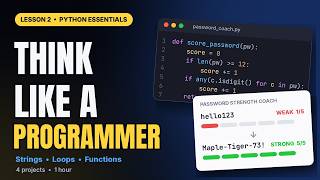
- Python Essentials: Think Like a Programmer (Beginner Python Course, Part 2) – In this lesson you'll be able to: Slice, search and reshape text with string methods Do maths without surprises, and convert between types…
- Learn Python by Building Projects: 12 Programs in One Hour (Beginner Python Course, Part 3) – In this lesson you'll be able to: Store and reshape collections of data with lists and dictionaries Build menu-driven programs with while…
- Python Masterclass: Data Structures, OOP and Automation (Beginner Python Course, Part 4) – In this lesson you'll be able to: Pick the right container (list, tuple, dict or set) and use it like a pro Write Pythonic one-liners with…
- Python Debugging for Beginners: Read Errors, Fix Bugs, Write Tests (Beginner Python Course, Part 5) – In this lesson you'll be able to: Read a traceback line by line and jump straight to the bug Recognise the most common Python errors and…
- Python Regex & f-strings for Beginners: Clean Messy Text (Beginner Python Course, Part 6) – In this lesson you'll be able to: Line up tidy tables, prices, percentages and dates with f-string format specs Wrap, trim and clean text…
- Python datetime Tutorial: Dates, Time Zones & Reminders (Beginner Python Course, Part 7) – In this lesson you'll be able to: Create and compare dates, times and datetimes with the datetime module Turn text into dates and dates…
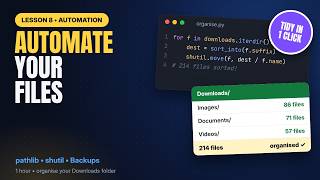
- Automate Files & Folders with Python: pathlib, shutil, zipfile (Beginner Python Course, Part 8) – In this lesson you'll be able to: Find and describe files with pathlib: glob, rglob, stem, suffix and stat Read and write text, CSV and…
All 10 lessons
 1 h 0 min
Python in 60 Minutes: Write Your First Real Programs (Complete Beginner Course)
 1 h 0 min
Python Essentials: Think Like a Programmer (Beginner Python Course, Part 2)
 60 min
Learn Python by Building Projects: 12 Programs in One Hour (Beginner Python Course, Part 3)
 1 h 1 min
Python Masterclass: Data Structures, OOP and Automation (Beginner Python Course, Part 4)
 59 min
Python Debugging for Beginners: Read Errors, Fix Bugs, Write Tests (Beginner Python Course, Part 5)
 58 min
Python Regex & f-strings for Beginners: Clean Messy Text (Beginner Python Course, Part 6)
 56 min
Python datetime Tutorial: Dates, Time Zones & Reminders (Beginner Python Course, Part 7)
 58 min
Automate Files & Folders with Python: pathlib, shutil, zipfile (Beginner Python Course, Part 8)
 55 min
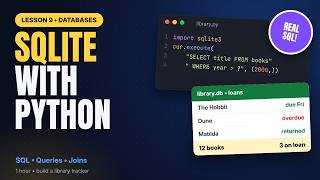
SQLite with Python for Beginners: SQL Databases in 1 Hour (Beginner Python Course, Part 9)
 56 min
Web Scraping & APIs for Beginners: requests + BeautifulSoup (Beginner Python Course, Part 10)
Frequently asked questions
Is the Python Beginner Course course free?
Yes. All 10 videos, notebooks are free, with no sign-up.
Do I need to install anything?
No. You can open each notebook in Google Colab in your browser, or download it and run it in Jupyter or VS Code with Anaconda installed.
How long does the Python Beginner Course course take?
The videos add up to about 10 hours. Most learners take one to two lessons a day, so plan on 1 to 2 weeks if you code along.
What level is it?
Beginner. It suits complete beginners: no prior coding is assumed, and each video explains every line.