 Mathew K Analytics
Learn openpyxl with free notebooks
7 free video lessons that use openpyxl, each with a downloadable Jupyter notebook and, where needed, the dataset. Learn openpyxl by working through real examples.
About these openpyxl lessons
These 7 lessons come from 4 different courses, so you see openpyxl used in several settings. The course with the most openpyxl lessons is Python for Data Analysts (3 lessons). 4 of the lessons include a real dataset to practise on.
openpyxl is most often used here together with pandas, datetime, JSON and CSV.
Watch the video, then run the notebook yourself: changing the code and re-running it is the fastest way to learn.
Courses that use openpyxl
- Python for Data Analysts – 3 lessons
- Data analytics zero to hero – 2 lessons
- Python Beginner Course – 1 lesson
- Python for Data Science – 1 lesson
 1 h 1 min
Python Masterclass: Data Structures, OOP and Automation (Beginner Python Course, Part 4)
 12 min
Automate Excel with Python | Data Analytics #19
 12 min
Excel Pivot Tables & Charts for Reporting | Data Analytics #20
 1 h 1 min
Python for Beginners: From Variables to Real Mini Projects
 32 min
End-to-End Data Analyst Capstone
 36 min
Automate Excel with Python openpyxl: Formulas, Charts, Formatting
 13 min
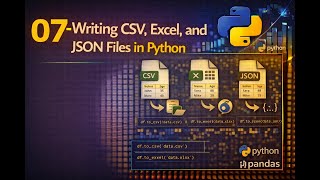
07 Writing CSV, Excel, and JSON Files in Python
Frequently asked questions
Where should I start learning openpyxl?
Start with “Python Masterclass: Data Structures, OOP and Automation (Beginner Python Course, Part 4)”, then work through the Python for Data Analysts course.
Are these openpyxl lessons free?
Yes. Every video, notebook and dataset on this site is free to use for learning.
Can I run the openpyxl notebooks without installing Python?
Yes. Open them in Google Colab, or use the Run in browser button where a lesson has one.